PARK ASSIST / MONITORING TELEVISION CAMERA(for Rear) INSTALLATION
PROCEDURE

 86790
1.INSTALL TELEVISION CAMERA ASSEMBLY (w/ Parking Assist Monitor System)
86790
1.INSTALL TELEVISION CAMERA ASSEMBLY (w/ Parking Assist Monitor System)
w/ Digital Inner Mirror:
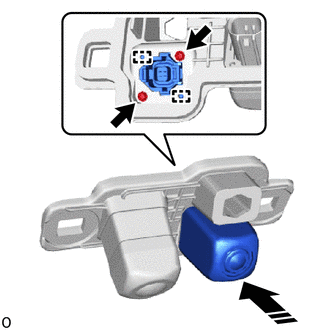

|
Install in this Direction |
Attach the guide to set the inner mirror camera assembly as shown in the illustration.
Install the 2 screws.
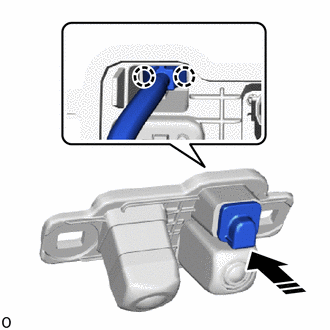
|
|
Install in this Direction |
Attach the claw to install the camera cleaner nozzle assembly to the television camera assembly as shown in the illustration.
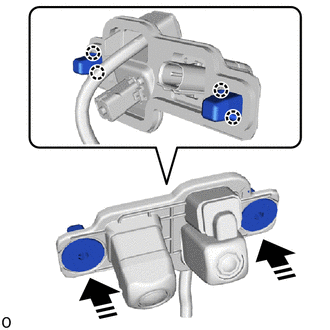
|
|
Install in this Direction |
Attach the claw to install the 2 screw grommets.
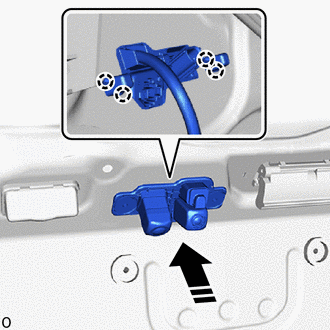
|
|
Install in this Direction |
Attach the claw to install the television camera assembly together with the 2 screw grommets.
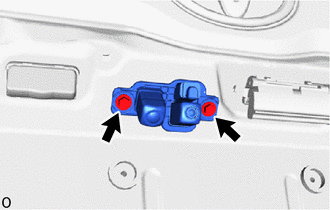
Install the 2 screws.
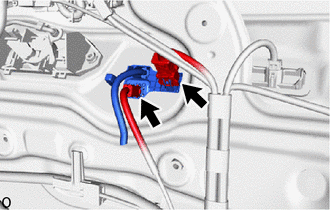
Connect the 2 connectors.
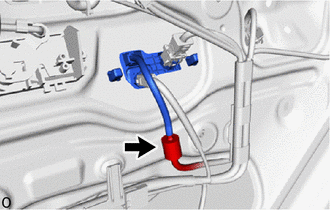
Connect the washer hose.
w/o Digital Inner Mirror:
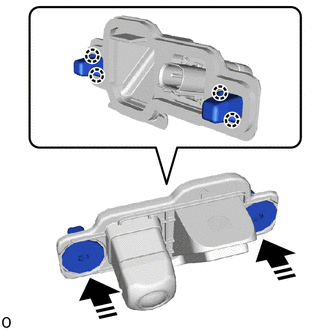
|
|
Install in this Direction |
Attach the claw to install the 2 screw grommets.
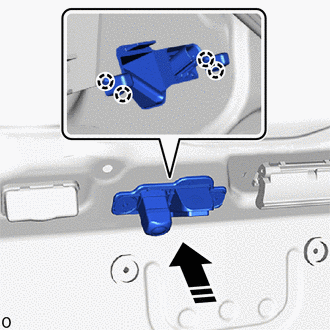
|
|
Install in this Direction |
Attach the claw to install the television camera assembly together with the 2 screw grommets.
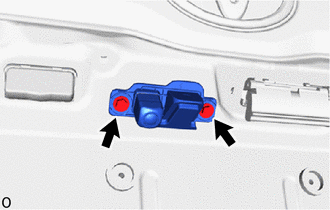
Install the 2 screws.
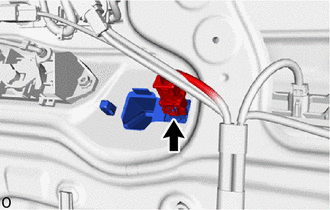
Connect the connector.
for Double Swing Out Type:
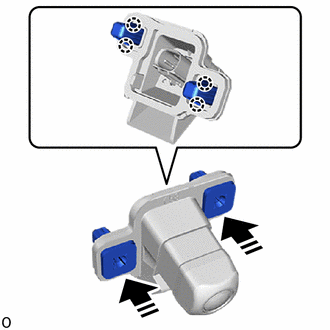
|
|
Install in this Direction |
Attach the claw to install the 2 screw grommets.
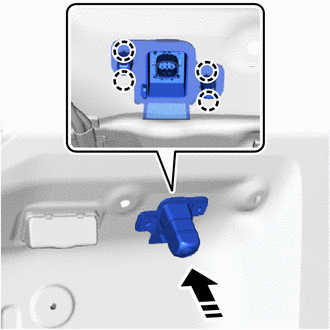
|
|
Install in this Direction |
Attach the claw to install the television camera assembly together with the 2 screw grommets.
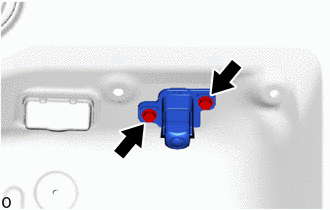
Install the 2 screws.
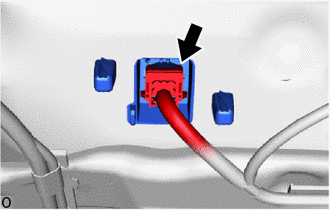
Connect the connector.
86790
2.INSTALL TELEVISION CAMERA ASSEMBLY (w/o Parking Assist Monitor System)
- HINT:
-
Use the same procedure for the television camera assembly (w/ Parking Assist Monitor System).
76801
3.INSTALL BACK DOOR OUTSIDE GARNISH SUB-ASSEMBLY
4.ADJUST TELEVISION CAMERA ASSEMBLY
w/ Parking Assist Monitor System:
w/ Panoramic View Monitor System: