WINDOW / GLASS POWER WINDOW CONTROL SYSTEM(Production Date from 2023/04) Driver Side Power Window Auto Up / Down Function does not Operate with Power Window Master Switch
DESCRIPTION
If the manual up and down functions operate normally but the auto up and down functions do not, the power window control system may be in fail-safe mode.
If power window initialization has not been performed, the auto up and down functions will not operate.
WIRING DIAGRAM
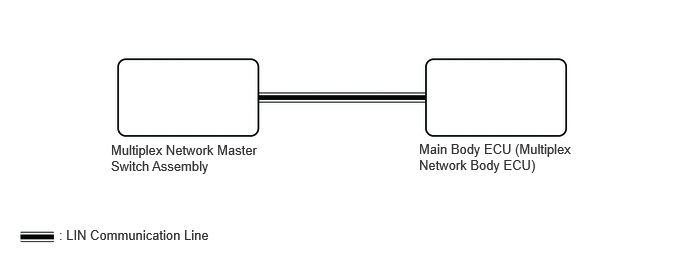
CAUTION / NOTICE / HINT
- NOTICE:
- ·
If the power window regulator motor assembly (for driver door) has been replaced with a new one, initialize the power window control system.
·The power window control system uses the LIN communication system. Inspect the communication function by following How to Proceed with Troubleshooting. Troubleshoot the power window control system after confirming that the communication system is functioning properly.
·Check that power window system customize setting "D Window Auto Up Function" and "D Window Auto Down Function" are set to "Enable" before performing the following procedure.
·After the catch protection function has operated, the auto up function will not operate the first time the power window auto up switch is operated. The auto up function will operate normally after the first power window switch operation.
·Before replacing the main body ECU (multiplex network body ECU), refer to Service Bulletin.*1
*1: w/ Smart Entry and Start System
- HINT:
-
If the pulse sensor built into the power window regulator motor assembly (for driver door) is malfunctioning, the power window control system will enter fail-safe mode. The remote up and down and auto up and down functions cannot be operated during fail-safe mode. However, the power window can be closed by holding the multiplex network master switch assembly at the auto up position, and opened manually by pushing down the multiplex network master switch assembly.
PROCEDURE
Initialize the power window regulator motor assembly (for driver door).
Check that the driver door power window moves when the auto up and down functions of the multiplex network master switch assembly are operated.
- OK:
Driver door auto up and down functions are normal.
- Result:
Proceed to OK NG
OK
NG
Read the Data List according to the display on the GTS.
- Body Electrical > Main Body > Data List
-
Tester Display Measurement Item Range Normal Condition Diagnostic Note D Door Power Window AUTO Switch Driver door power window auto switch signal OFF or ON OFF: Driver door power window auto up or auto down switch not being operated
ON: Driver door power window auto up or auto down switch being operated-
- Body Electrical > Main Body > Data List
-
Tester Display D Door Power Window AUTO Switch - 50003 449 320
- OK:
On the GTS screen, ON or OFF is displayed accordingly.
- Result:
Proceed to OK NG
OK
NG
Read the Data List according to the display on the GTS.
- Body Electrical > Main Body > Data List
-
Tester Display Measurement Item Range Normal Condition Diagnostic Note D Door Power Window AUTO Switch Driver door power window auto switch OFF or ON OFF: Auto up or auto down switch not being operated
ON: Auto up or auto down switch being operated-
- Body Electrical > Main Body > Data List
-
Tester Display D Door Power Window AUTO Switch - 50003 449 320
- OK:
On the GTS screen, ON or OFF is displayed accordingly.
- Result:
Proceed to OK NG
OK
NG
Replace the multiplex network master switch assembly.
Check that the driver door power window moves when the auto up and down functions of the multiplex network master switch assembly are operated.
- OK:
Driver door auto up and down functions are normal.
- Result:
Proceed to OK NG
OK
NG