INTERIOR PANELS / TRIM FRONT CONSOLE BOX DISASSEMBLY
PROCEDURE

 58920A
1.REMOVE REAR CONSOLE ARMREST ASSEMBLY
58920A
1.REMOVE REAR CONSOLE ARMREST ASSEMBLY
Open the rear console armrest assembly.
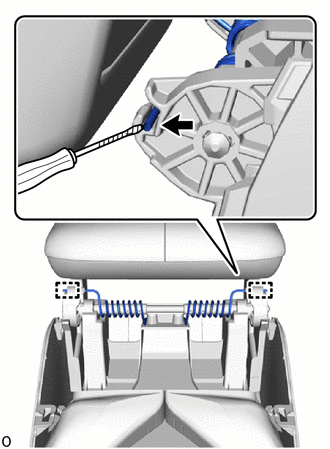

|
Protective Tape |
Using a thin-bladed screwdriver, detach the guide and remove the console box mounting bracket spring both side.
- HINT:
-
Tape the thin-bladed screwdriver tip before use.
Close the rear console armrest assembly.
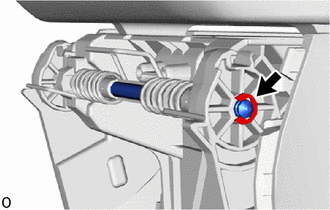
Remove the E-ring.
- HINT:
- ·
When installing, reinstallation is not required.
·The E-ring may be installed on the opposite side.
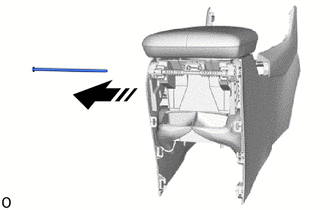

|
Remove in this Direction |
Pull in the direction of the arrow shown in the illustration to remove the console compartment door stopper pin.
- HINT:
-
When the E-ring is installed on the opposite side, remove the pin in the opposite direction.
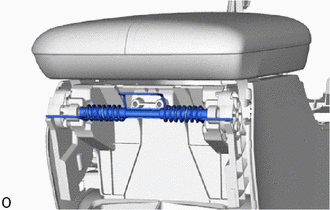
Remove the console mount bracket spring with console box spacer.
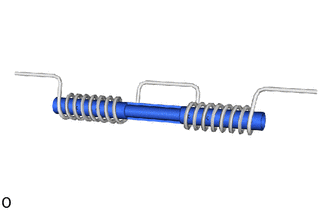
Pull a console box spacer out of the console box mounting bracket spring.
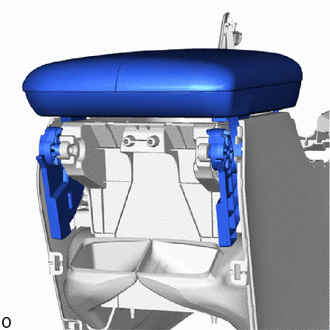
Remove the rear console armrest assembly.
58912C
2.REMOVE NO. 2 BOX SIDE PANEL
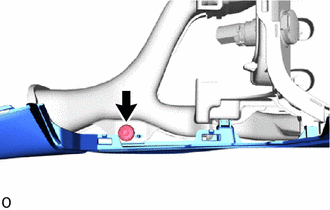
Detach the clip.
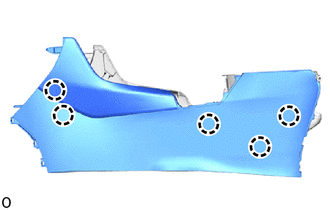
Detach the claw.
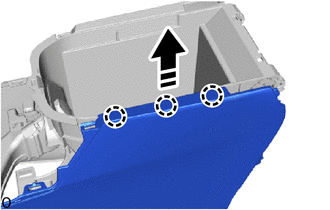
|
|
Remove in this Direction |
Lift up in the direction indicated by the arrow shown in the illustration to detach the claw and remove the No. 2 box panel.
58985
3.REMOVE CONSOLE BOX RETAINER
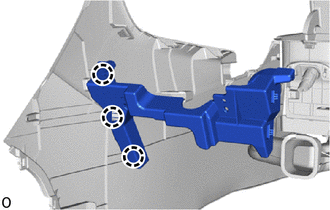
Detach the claw and remove the console box retainer.
58911A
4.REMOVE NO. 1 BOX SIDE PANEL
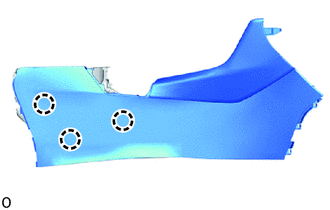
Detach the claw.
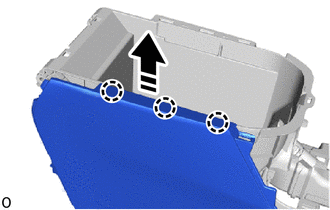
|
|
Remove in this Direction |
Lift up in the direction indicated by the arrow shown in the illustration to detach the claw and remove the No. 1 box panel.
35978
5.REMOVE SHIFT POSITION INDICATOR
84010D
6.REMOVE INTEGRATION CONTROL AND PANEL ASSEMBLY
58808
7.REMOVE SHIFTING HOLE COVER SUB-ASSEMBLY

Detach the claw and guide and remove the shifting hole cover sub-assembly.
86190C
8.REMOVE NO. 1 STEREO JACK ADAPTER ASSEMBLY
85530
9.REMOVE NO. 1 POWER OUTLET SOCKET ASSEMBLY
85535B
10.REMOVE NO. 1 POWER OUTLET SOCKET COVER