LIGHTING (INT) PERSONAL LIGHT INSTALLATION
PROCEDURE

 81260A
1.INSTALL MAP LIGHT ASSEMBLY (w/o Overhead Console)
81260A
1.INSTALL MAP LIGHT ASSEMBLY (w/o Overhead Console)
Connect the connector.
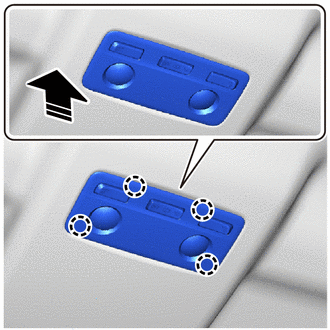

|
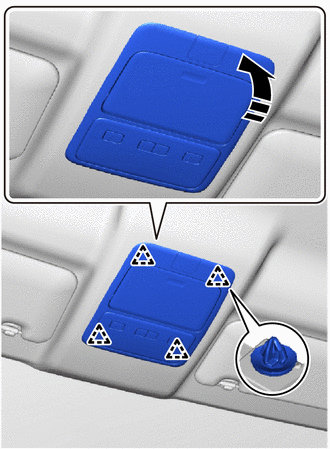
Install in this Direction |
Attach the claw to install the map light assembly as shown in the illustration.
Remove the protective tape.
81260A
2.INSTALL MAP LIGHT ASSEMBLY (w/ Overhead Console, for High Roof)
for Bulb Type:
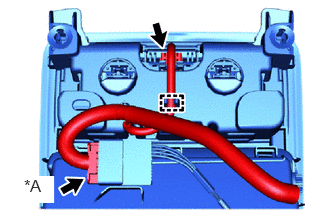
| *A | w/ Microphone |
Connect the connector and attach the clamp.
w/ Microphone:
Connect the connector.
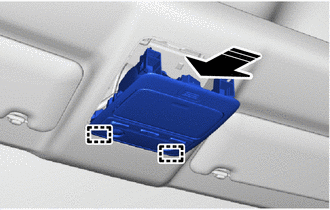
|
|
Install in this Direction |
Attach the guide as shown in the illustration.
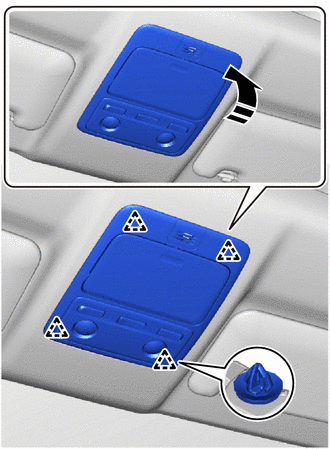
|
|
Install in this Direction |
Attach the clip to install the map light assembly as shown in the illustration.
Remove the protective tape.
for LED Type:
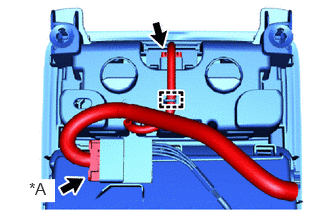
| *A | w/ Microphone |
Connect the connector and attach the clamp.
w/ Microphone:
Connect the connector.
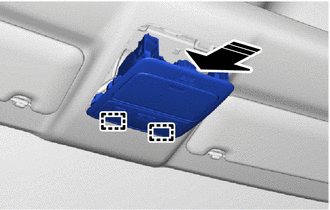
|
|
Install in this Direction |
Attach the guide as shown in the illustration.
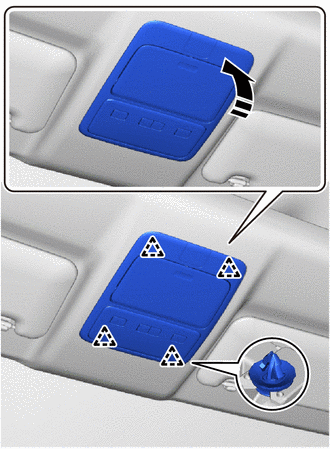
|
|
Install in this Direction |
Attach the clip to install the map light assembly as shown in the illustration.
Remove the protective tape.
81260A
3.INSTALL MAP LIGHT ASSEMBLY (w/ Overhead Console, for Standard Roof)
for Bulb Type:
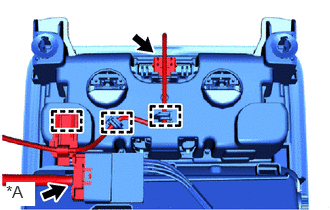
| *A | w/ Microphone |
Connect the connector and attach the clamp.
w/ Microphone:
Connect the connector.
|
|
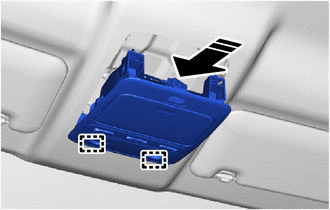
Install in this Direction |
Attach the guide as shown in the illustration.
|
|
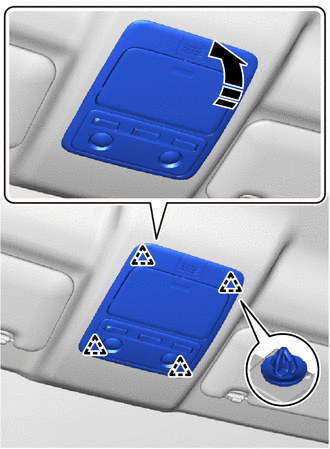
Install in this Direction |
Attach the clip to install the map light assembly as shown in the illustration.
Remove the protective tape.
for LED Type:
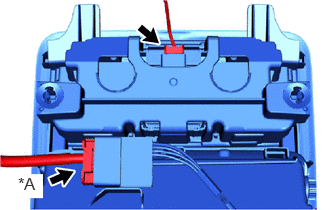
| *A | w/ Microphone |
Connect the connector.
w/ Microphone:
Connect the connector.
|
|
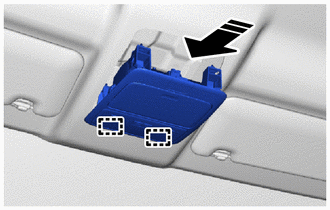
Install in this Direction |
Attach the guide as shown in the illustration.
|
|
Install in this Direction |
Attach the clip to install the map light assembly as shown in the illustration.
Remove the protective tape.