EXTERIOR PANELS / TRIM QUARTER GARNISH REASSEMBLY
CAUTION / NOTICE / HINT

| Procedure | Part Name Code | 
|

|

|
|
|---|---|---|---|---|---|
| 1 | QUARTER PILLAR PAD | 62232A | ( 202201,999999,_59,_114126,_0505941,RM100000001ZPGE_02_0001,) 202201,999999,_59,_114126,_0505941,RM100000001ZPGE_02_0001,)
|
- | - |
| *1 | QUARTER PILLAR COVER | - | - |
| ● | Non-reusable part | - | - |
CAUTION / NOTICE / HINT
- HINT:
- ·
Use the same procedure for the RH side and LH side.
·The following procedure is for the LH side.
PROCEDURE

 62232A
1.INSTALL QUARTER PILLAR PAD
62232A
1.INSTALL QUARTER PILLAR PAD
| *a | Location Lib | *b | Double-sided Tape |
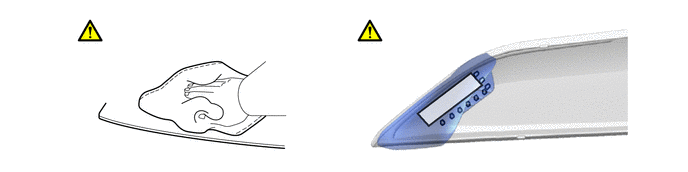
Clean the quarter pillar cover.
1. Using a heat light, heat the quarter pillar cover surface.
- Standard:
Item Temperature Item Temperature Quarter Pillar Cover 20 to 30°C (68 to 86°F) - -
- CAUTION:
-
 2.365,2 2.698,2 false 0.5,2.333 0.5,2.667 true 0.427,2.708 0.74,2.865 0.313,0.156 10 false *a 2.76,1.927 3.073,2.083 0.313,0.156 10 false *b
*a Heated Part *b Heat Light
- ·
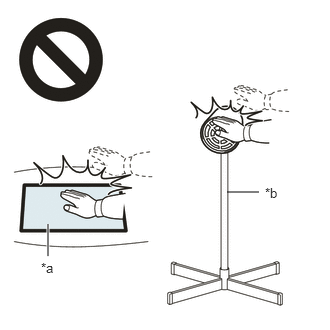
Do not touch the heat light and heated parts.
·Touching the heat light may result in burns.
·Touching heated parts for a long time may result in burns.
- NOTICE:
-
Do not heat the quarter pillar cover excessively.
2. Remove any remaining double-sided tape from the quarter pillar cover.
3. Wipe off any tape adhesive residue with cleaner.
- NOTICE:
- ·
Installing the quarter pillar pad with some double-sided tape remaining may cause poor adhesion. Perform this procedure until the tape is sufficiently removed.
·Make sure to use a cloth when removing. Using a screwdriver, etc., may cause damage and poor adhesion.
Install a new quarter pillar pad.
1. Using a heat light, heat the quarter pillar cover.
- Standard:
Item Temperature Item Temperature Quarter Pillar Cover 20 to 30°C (68 to 86°F) - -
- CAUTION:
- ·
Do not touch the heat light and heated parts.
·Touching the heat light may result in burns.
·Touching heated parts for a long time may result in burns.
- NOTICE:
-
Do not heat the quarter pillar cover excessively.
2. Remove the release paper from the quarter pillar pad.
- HINT:
-
After removing the release paper, keep the exposed double-sided tape free from foreign matter.
3. Install the quarter pillar pad as shown in the illustration.
- HINT:
- ·
Install the quarter pillar pad along the location lib on the quarter pillar cover.
·Press the quarter pillar pad firmly to install it.